2014年8月5日星期二

The solution of BMW ICOM A2 hardware does not work

If you have the same problem on BMW ICOM A2 you can solve it as the following ways.
Problem: The BMW ICOM A2 can work normally, after a long time, when you use it again, Fiber head does not work when it is hot.
Solution: This problem is caused by TPS3820 chip. This chip is burned and need to replace, after you change this chip, then BMW ICOM hardware can work normally again.

2014年8月2日星期六

5 reasons to choose Launch X431 iDiag scanner

If you are looking for a cost-effective and easy-to-carry OBD2 scanner that works for all cars, I would like to recommend you Launch X431 iDiag scanner. There are 5 reasons why I recommend this tool.

1. Smart design
This Launch X431 scanner is merely as big as a cell phone and therefore is portable when on a test drive with customer or for quick diagnoses.
2. Wireless connection
The tool is optional once it is connected to an Android phone via Bluetooth. This makes it extremely convenient for mechanics to use the tool.
3. Professional technical support
Apart from trouble code reading and erasing, the tool also allows mechanics to contact Launch technicians in the maintenance social circle. The social circle is accessible once the tool communicates with a phone.
4. Wide vehicle support
The tool supports OBDII full function for a total of 42 brands of vehicles. This includes BMW, Acura, Benz, VW, Honda, Toyota, Hyundai, Romeo, etc.
5. Online update

The tool is available to be updated online, making it easier for mechanics to get access to the latest Launch X431 software as soon as possible.

Digiprog III odometer programmer technical service

digiprog 3 FAQ:
Q: Does Digiprog III change mileage for BMW after 2008year? Does Digiprog3 make key for BMW?
A: better use Digimaster 3 to program mileage for the high-end BMW. Digiprog3 can’t make key for BMW, advice you use AK300 key pro.

Q: Does digiprog3 work with VW golf 6 2009, golf 5 2006 and Peugeot 407 2006?
A: Yes. Digiprog 3 does. Please refer to digiprog3 vehicle list at: digiprog 3
Q: When I connect Digiprog3 with computer, I got error “DiagProg3.Setup GetByte_USB-TimeOut”.
A: Only when you want to update Digiprog3, you can connect Digiprog3 with computer. At other times, don’t connect Digiprog3 with computer.
Q: You say Digiprog3 can’t connect with the computer, then what is the “setup.exe” used for? Where is the USB cable to be connected? How to supply power? After plug the OBD cable into the car, Digiprog 3 suggests insert No.1 cable, do I have to remove dashboard?
A: 1) Do not install the CD-ROM software “setup.exe”.
2) When you want to update digiprog3, connect the USB cable to the computer.
3) It doesn’t need power cord if the digiprog3 is directly connected to the car, the car will supply power for digiprog3.
4) After you plug the OBD cable (16pin cable), digiprog3 suggests you insert NO.1 cable, it means you have to use ST01 cable, not OBD cable.
Q: I found Digiprog 3 power supply is not 220V, does it matter?
A: Generally speaking, Chinese power input 110-220V, digiprog 3 power input 110-220V and power output 12V.

More FAQ please check:digiprog 3

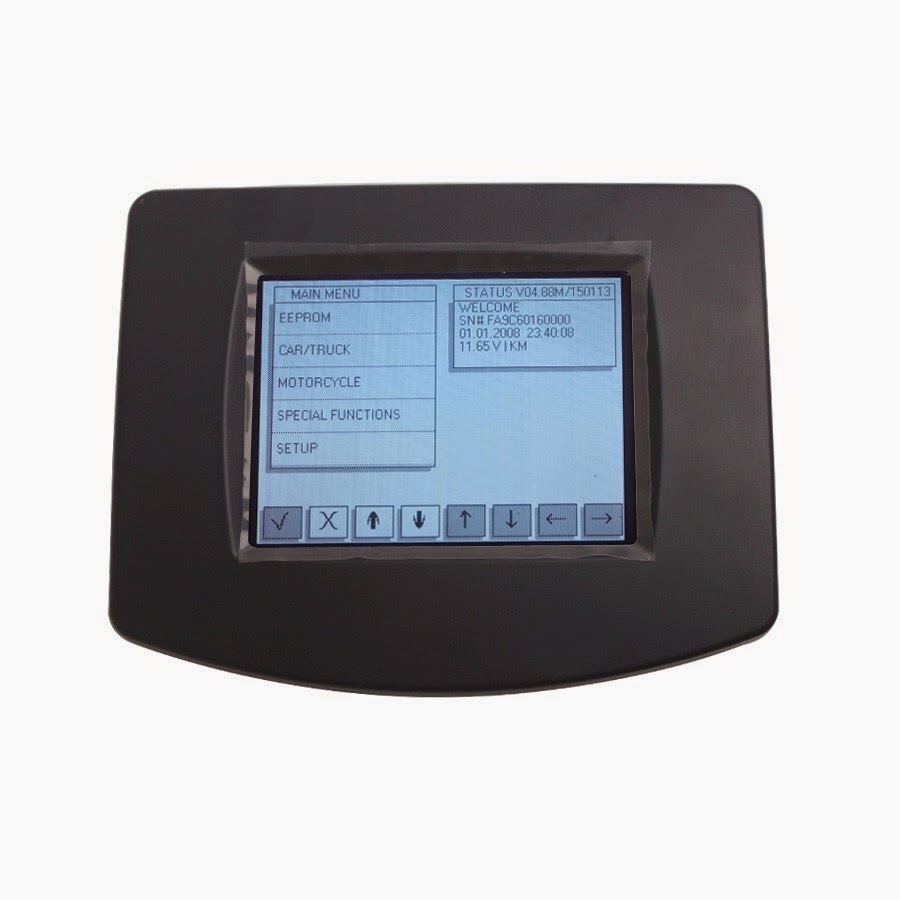
New Arrival DIGIPROG 3 V4.88 Update Software

Recently, we have a new product available, it is digiprog 3, customers who buy digiprog 3 from us before, now can update to v4.88 version, the latest version.
What is the advantage of v4.88?
V4.88 Version Newly added vehicles:
Citroen DS3 93C66 new versions & DS4 24C16
Ferrari 458/California Diag
Dacia Sandero 93C56
Kia Carens C46 new version
Seat Mii Diag
Ford Mustang 24C32
Skoda Citigo Diag
Mercedes W204 new version diag
Nissan Qashqai HCS12X new version
Nissan Pathfinder HCS12X new version
4.87 Ford Ranger 24C16
Mercedes W203 Diag new version
Mercedes SL 2012 (R231)
Mercedes A-Class 2012 (W176)
Peugeot 508
Renault Wind 93C76
Suzuki King Quad 93C56
Suzuki Swift 24C16
Subaru Imreza 93C76
VAG Marelli Diag new version
4.86 VAG Johnson Controls Diag
Audi A3 New Versions
Mercedes R230 Diag 2005-
Suzuki Alto
Kia Carens
Dodge Journey
How to update it? Check here: digiprog 3

Digiprog 3 Technical FAQ

Q: What is the difference between tacho pro 2008 and digiprog 3?
A: tacho pro supports mileage programming for the car before 2006 year, and digiprog 3 works with the car of newer year, even supports some 2012 year car. And they have the same function.

Q: what is Digiprog III power-on password?
A: Digiprog 3 Power-on password is 1.

Q: When I use digiprog 3, I got disorder code, what can I do? Please check the following picture.
A: Please send us Digiprog III serial number, and we will send you program to help refresh digiprog 3 main unit.

c
Q: What is the language of Digiprog 3 screen menu? English or German? My DVD from you is German, and also the operation interface is German, how to change to English?
A: Digiprog III DVD is German, but the operation is available with both English and German, after you turn on Digiprog 3, click “language” option, and then set English.

Q: Can Digiprog III support change mileage for BMW after 2008year? Does Digiprog3 make key for BMW?
A: better use Digimaster 3 to program mileage for the high-end BMW. Digiprog3 can’t make key for BMW, advice you use AK300 key pro.

Q: when Digiprog III got blue screen error?
A: not connect digiprog3 with computer, only when you update digiprog3 can you connect it with computer, not install and use the original software.


Learn more ECU chip tunning tools at: digiprog 3

Digiprog III Digiprog 3 cars cover list, manual, video, language and update

Digiprog III Digiprog 3 cars cover list, manual, video, language and update
Digiprog III Digiprog 3 cars cover list:
Free download 
digiprog 3

Video on how to use DigiProg 3 to program mileage odometer:
To watch video how to use DigiProg 3 after open this site, just click button “video” to watch.
Digiprog III Digiprog 3 Language:
Deutsch, English, Espanol, French, Portuguese, Italiano, Turkey, Nederlands
How to update Digiprog III Digiprog 3?
Uobd2 is available to update Digiprog III Digiprog 3 by email, and maybe will charge. Know more mail at: 
digiprog 3

2014年8月1日星期五

Volvo Dice Pro+ 2013D FAQ

Volvo dice is the newest Volvo car scanner which is used together with VIDA all-in-one to communicate with the vehicle.
Communication makes diagnosing and troubleshooting the vehicle possible, as well as downloading software.

Volvo dice 2013D FAQ:
(Q: Question, A: Answer)
Q1: Must is use with Windows XP system?
A1: No, it works on Windows 7 ONLY.

Q2: Does Volvo dice needs 2GB or 4GB install memory?
A2: It does not have memory limitation.

Q3: Can this do coding and airbag modules?
A3: Sorry, it cannot do either of them.

Q4: Can I share the software with normal Volvo Vida Dice please?
A4: Yes, they share the same software, but Super Volvo Dice Pro has better firmware.

Q5: Can this tool program Volvo keys?
A5: Sorry, it can not do key programming.

Q6: What’s the difference between Super Volvo Dice Pro and previous Volvo vida dice?
A6: There two have the same software and share the same function, the only difference is their appearance and device.

Q7: Does it have bluetooth?
A7: It does not have blutooth.

Q8: Can it connect to Volvo server?
A8: It can not connect to Volvo server.Volvo dice

Q9: Can it do ECU programming?
A9: The Super Volvo Dice is only for diagnostic, it cannot do programming

Q10: Do I need other tools to work with it?

A10: No, it can work alone.